
The Date Exception Report is a specialized reporting tool within the VA Tech Apps. It allows EMD Managers to generate exception-based reports by filtering data according to specific employment-related modules. This feature helps users quickly identify inconsistencies, missing records, or exceptions across different employee datasets.
At the top of the Date Exception Report screen, users will find the Reports Filter section. This includes a dropdown menu labeled Type of Module, which determines the scope of the report. Selecting the appropriate module ensures that the report focuses only on the relevant dataset.
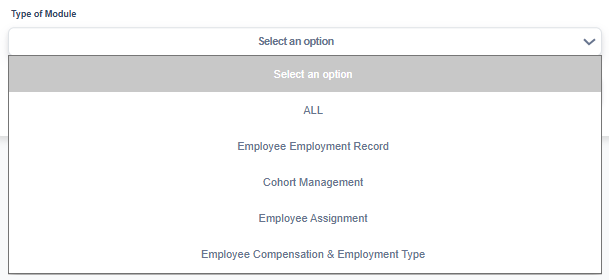
Dropdown Options:
- ALL – Generates a report across all modules.
- Employee Employment Record – Focuses on exceptions related to employment history and records.
- Cohort Management – Filters exceptions tied to cohort assignments.
- Employee Assignment – Displays exceptions in employee role or assignment records.
- Employee Compensation & Employment Type – Identifies exceptions in compensation details and employment classifications.
How to Use the Date Exception Report
- Open the Date Exception Report screen.
In the EMD homepage side panel, navigate to the Date Exception Report module.
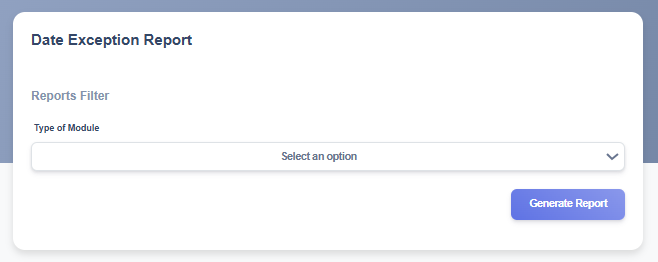
- Select a Module from the Reports Filter.
Use the dropdown menu under Type of Module to choose the dataset you want to generate.
- Generate the Report.
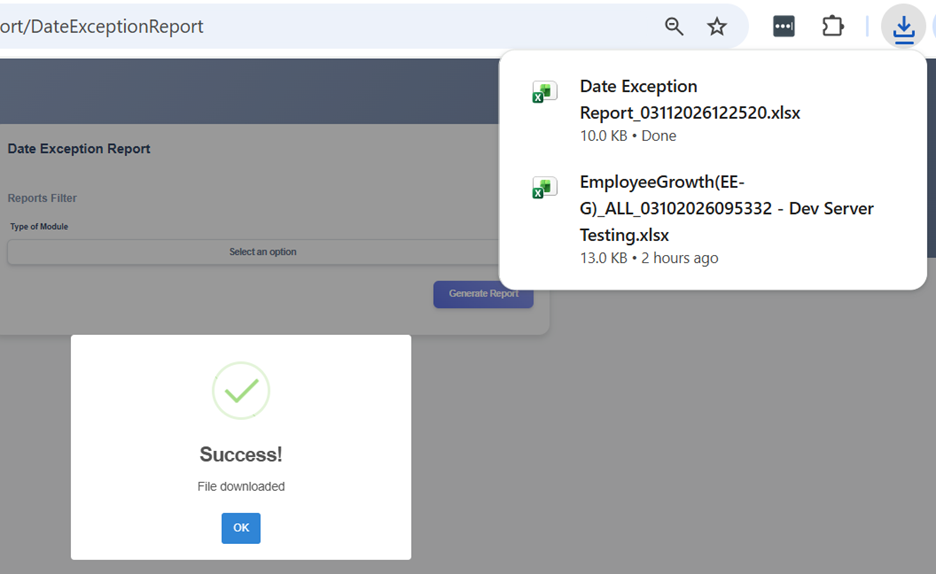
After selecting the desired module, click the Generate Report button. The system generates an Excel file, which is saved in your Downloads folder.
- Review Results.
The report will list exceptions such as missing dates, invalid entries, or incomplete records. Use this information to correct data inconsistencies.
Understanding Date Exceptions Errors
When working with employee employment records, assignments, cohorts, and compensation details, it’s common to encounter date exceptions — situations where the dates entered don’t line up with the official record period. These exceptions can cause errors in reporting, or compliance if left unresolved.
This section explains the exceptions generated in the system. By breaking them down error by error, you’ll see what each issue means and sample scenarios the error occurs.
- Assignment Dates Outside Employment Period – this date exception occurs when the start and/or end date of an employee’s assignment to a cohort falls outside the employee’s actual employment period.
- Modules: This exception error may appear when generating reports in the Employee Employment Record or Employee Assignment modules.
- Example Scenarios
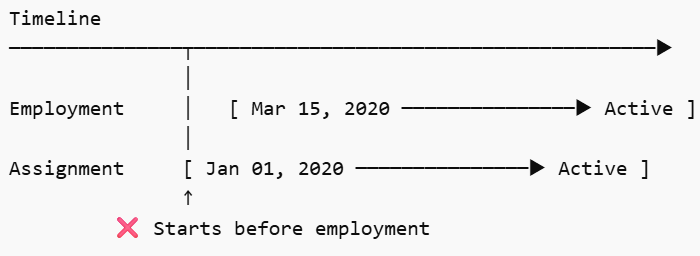
- Cohort Assignment start date is outside employment period.
- Employment Period: Start Date: March 15, 2020 – End Date: NA (Active)
- Cohort Assignment: Start Date: January 01, 2020 – End Date: NA (Active)
-
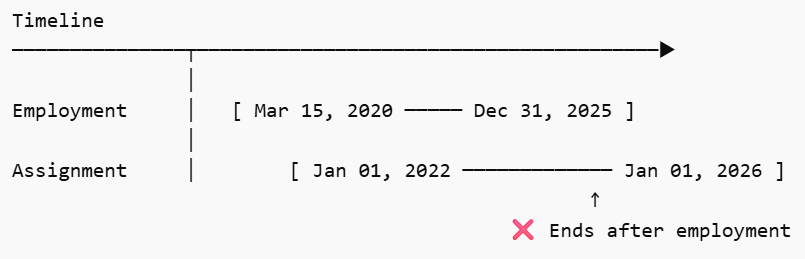
- Cohort Assignment end date is outside employment period.
- Employment Period: Start Date: March 15, 2020 – End Date: December 31, 2025
- Cohort Assignment: Start Date: January 01, 2022 – End Date: January 01, 2026
-
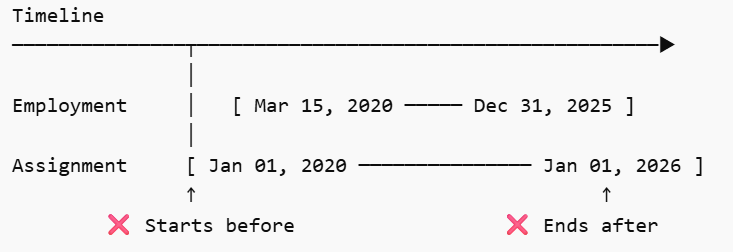
- Cohort Assignment start and end date is outside employment period.
- Employment Period: Start Date: March 15, 2020 – End Date: December 31, 2025
- Cohort Assignment: Start Date: January 01, 2020 – End Date: January 01, 2026
-
- Cohort Assignment start date is outside employment period.
- Assignment Dates Outside Cohort Period – this date exception occurs when the start and/or end date of an employee’s assignment to a cohort falls outside the cohort’s actual validity period
- Modules: This exception error may appear when generating reports in the Cohort Management or Employee Assignment modules.
- Example Scenarios
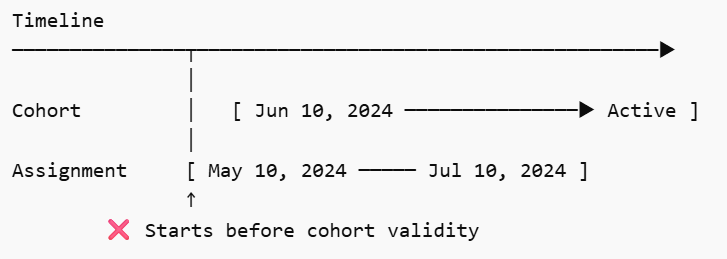
- Cohort Assignment start date is outside cohort validity period.
- Cohort Validity Period: Start Date: June 10, 2024 – End Date: NA (Active)
- Cohort Assignment: Start Date: May 10, 2024 – End Date: July 10, 2024

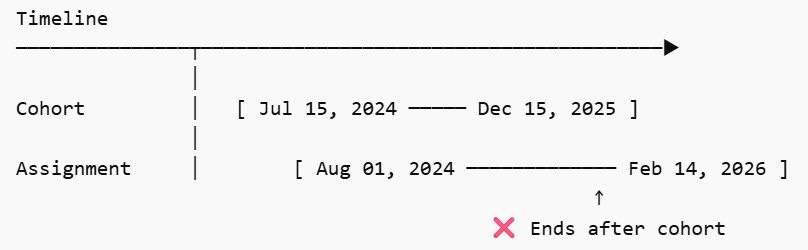
- Cohort Assignment end date is outside cohort validity period.
- Cohort Validity Period: Start Date: July 15, 2024 – End Date: December 15, 2025
- Cohort Assignment: Start Date: August 01, 2024 – End Date: February 14, 2026
-
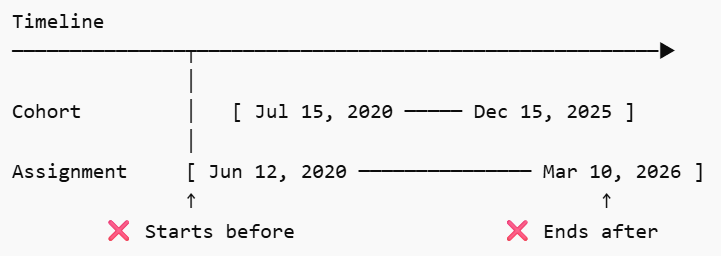
- Cohort Assignment start and end date is outside cohort validity period.
- Cohort Validity Period: Start Date: July 15, 2020 – End Date: December 15, 2025
- Cohort Assignment: Start Date: June 12, 2020 – End Date: March 10, 2026
-
- Cohort Assignment start date is outside cohort validity period.
- Compensation and Employment Effective Date Outside Employment Period – this date exception occurs when the start and/or end date of an employee’s compensation and employment record falls outside employee’s actual employment period.
- Modules: This exception error may appear when generating reports in Employee Compensation & Employment Type module.
- Example Scenarios
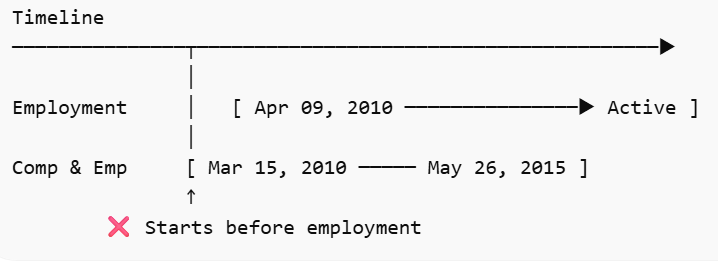
- Compensation and Employment start date is outside employment period.
- Employment Period: Start Date: April 09, 2010 – End Date: NA (Active)
- Compensation and Employment: Start Date: March 15, 2010 – End Date: May 26, 2015
-
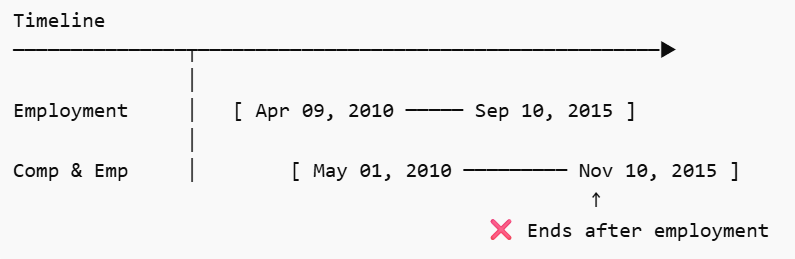
- Compensation and Employment end date is outside employment period.
- Employment Period: Start Date: April 09, 2010 – End Date: September 10, 2015
- Compensation and Employment: Start Date: May 01, 2010 – End Date: November 10, 2015
-
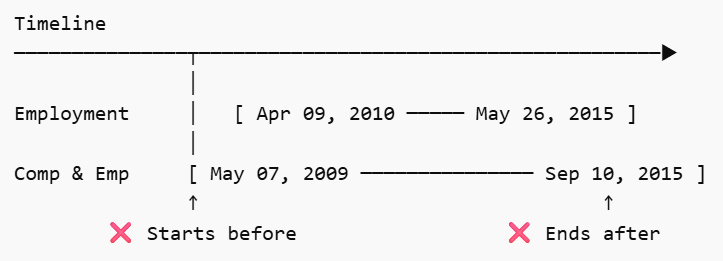
- Compensation and Employment start and end date is outside employment period.
- Employment Period: Start Date: April 09, 2010 – End Date: May 26, 2015
- Compensation and Employment: Start Date: May 07, 2009 – End Date: September 10, 2015
-
- Compensation and Employment start date is outside employment period.