
The Client Contract Team Assignments page allows users to view and manage the team members assigned to a client contract. You can access this page by clicking the Add, Edit or View button from the Client Contract Team Assignments (CCTA) main view.
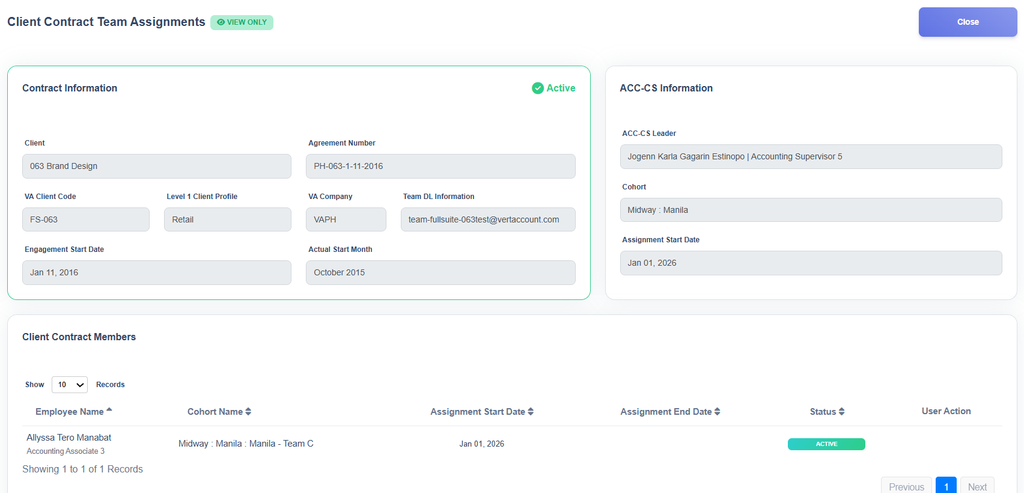
This page is divided into three major sections that help users easily review contract details and manage assigned team members.
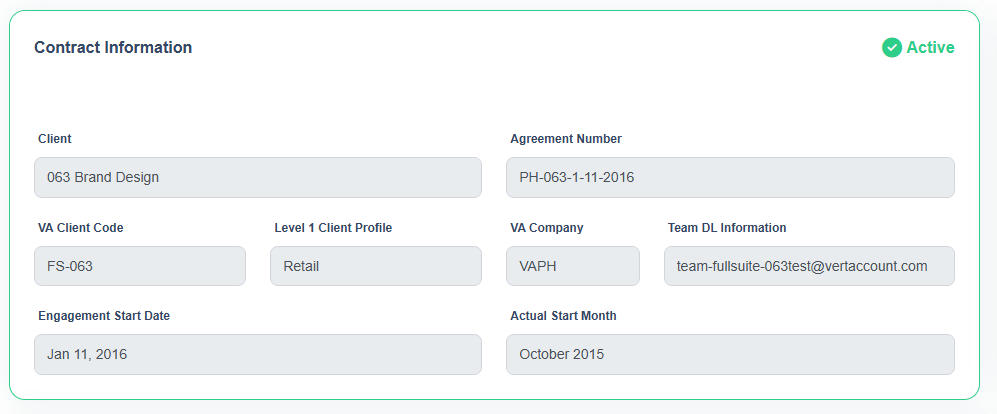
Contract Information
The Contract Information section displays all important details related to the selected contract. This includes the contract information needed to help users identify and review the contract they are working on.
ACC-CS Information
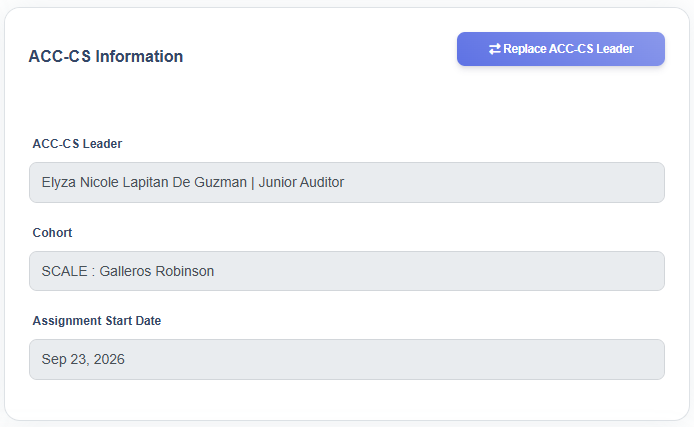
The ACC-CS Information section shows the details of the currently assigned ACC-CS for the contract.
In this section, users can:
- View the assigned ACC-CS information
- Add a new ACC-CS assignment
- Replace the current ACC-CS with a different ACC-CS when needed
This area helps ensure that the correct ACC-CS is assigned and maintained for the contract.
Client Contract Members
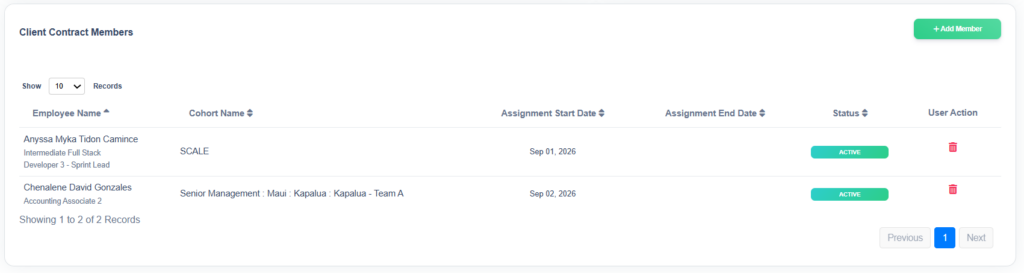
The Client Contract Members section displays the list of contact members assigned to the contract.
In this section, users can:
- View all assigned contract members (active and inactive)
- Add new members to the contract team
- Remove existing members from the contract team
This allows users to keep the contract team up to date and ensure that the right people are assigned to the contract.