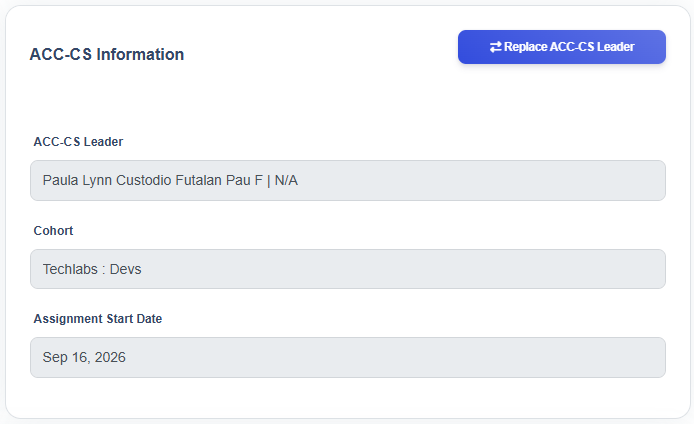
The ACC-CS Information section is used to assign and maintain the ACC-CS Leader responsible for a contract.
There are two key processes:
- Add ACC-CS Leader – Used when a newly created contract does not yet have an assigned ACC-CS Leader.
- Replace ACC-CS Leader – Used when an existing ACC-CS Leader assignment needs to be changed.
Add ACC-CS Leader
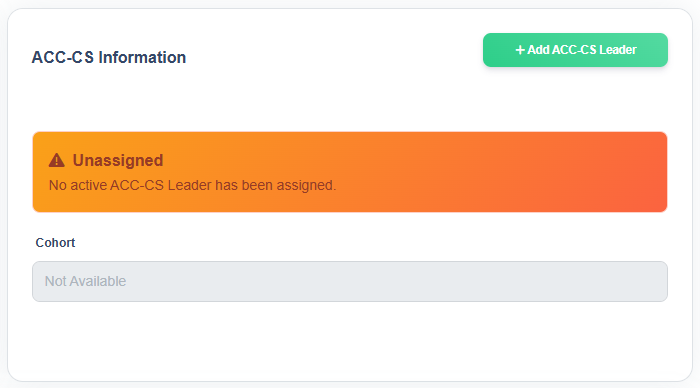
- To add an ACC-CS Leader, click the Add ACC-CS Leader button
- The system displays the Add ACC-CS Leader window
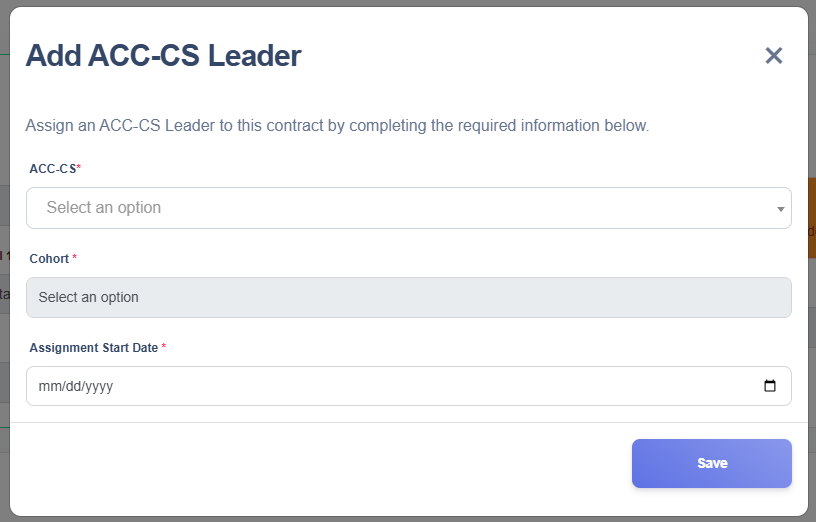
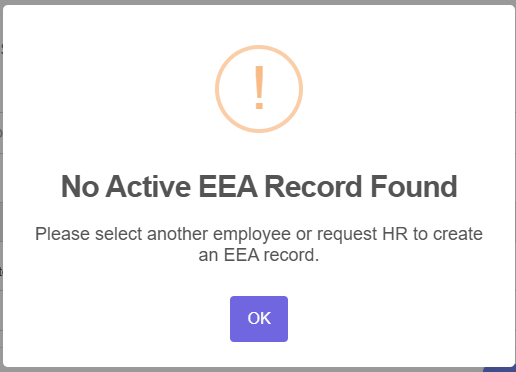
- Select the ACC-CS Leader from the dropdown, listing all active employees.
- For employees with multiple cohort, select the appropriate Cohort.
- Enter the Assignment Start Date
- Review the entered information for accuracy and click Save.
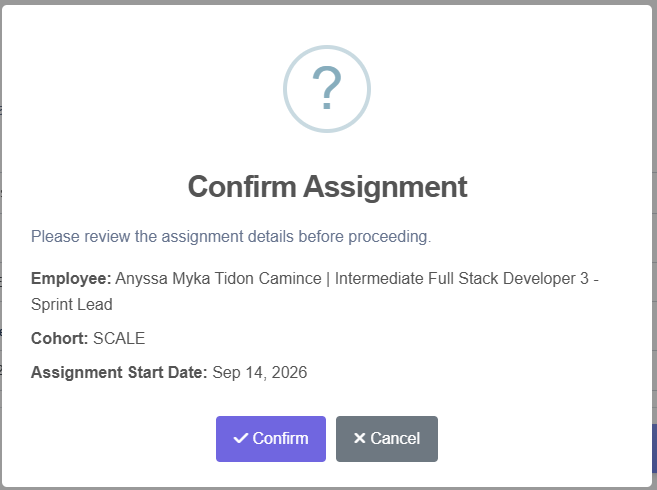
- A confirmation dialog will appear, review the details and confirm by clicking Confirm button or Cancel if you decide not to proceed.
- A success message will appear confirming that the ACC-CS Leader was added.

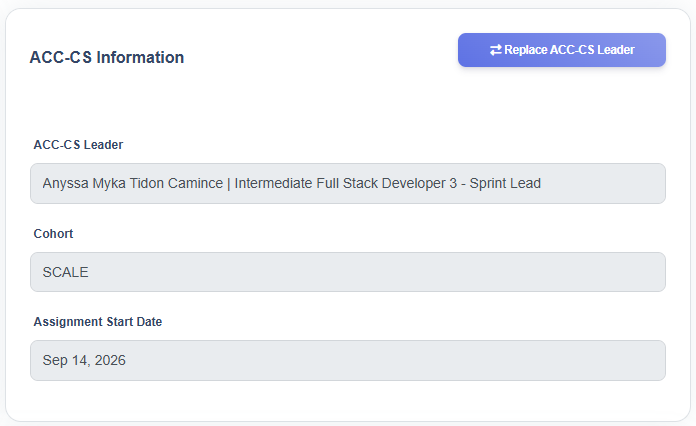
- Click OK. The ACC-CS Leader is successfully assigned and displayed in the ACC-CS Information section
Replace ACC-CS Leader
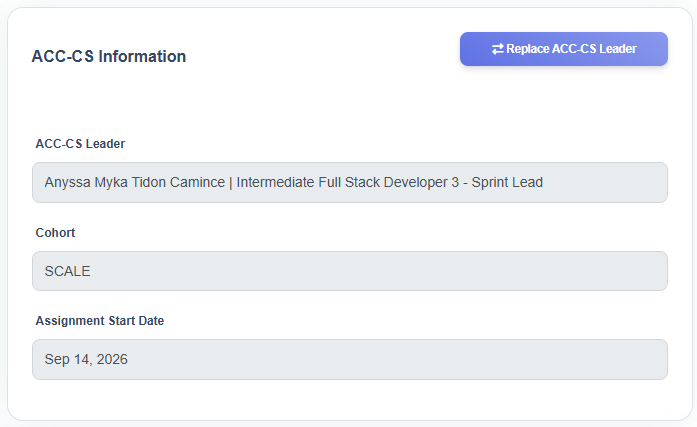
- To replace an ACC-CS Leader, click the Replace ACC-CS Leader button
- The system displays the Replace ACC-CS Leader window
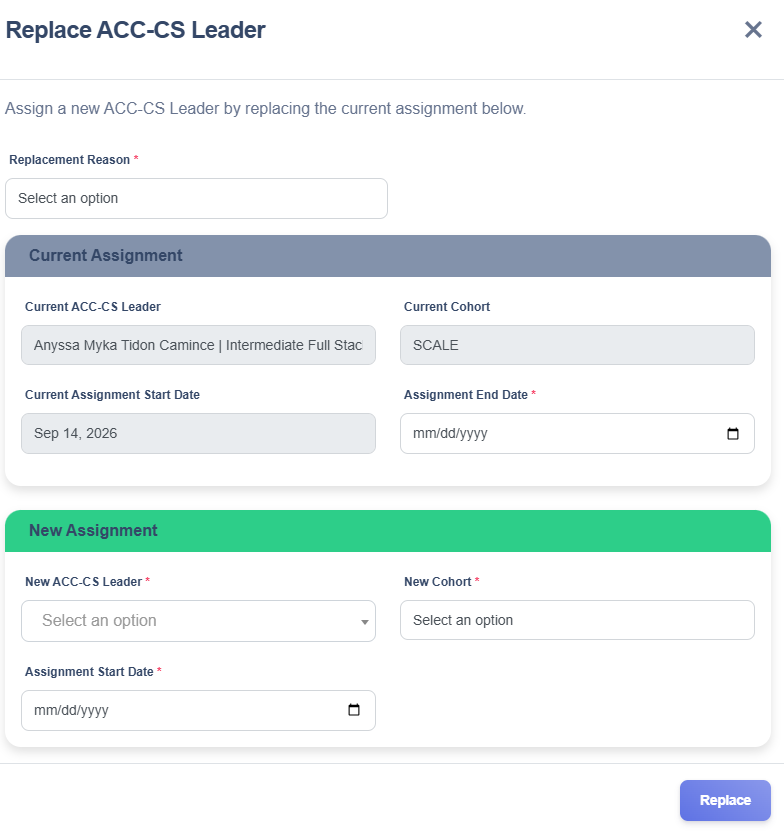
- Choose a Replacement Reason from the dropdown
- The Current Assignment section displays the currently assigned ACC-CS Leader, Cohort, and Assignment Start Date, which cannot be edited because they reflect the active assignment.
- Enter the Assignment End Date for the Current ACC-CS Leader
- In the New Assignment section, select the new ACC-CS Leader from the dropdown, listing all active employees.
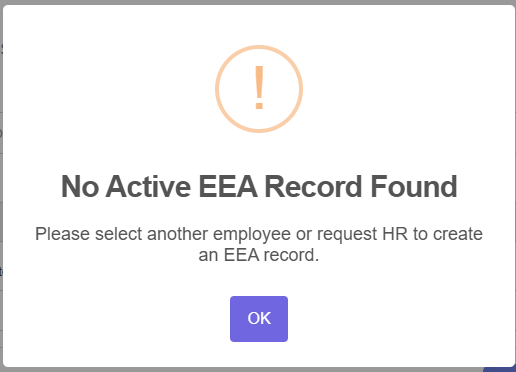
- For employees with multiple cohort, select the appropriate Cohort.
- Enter the Assignment Start Date
- Review the entered information for accuracy and click Replace.
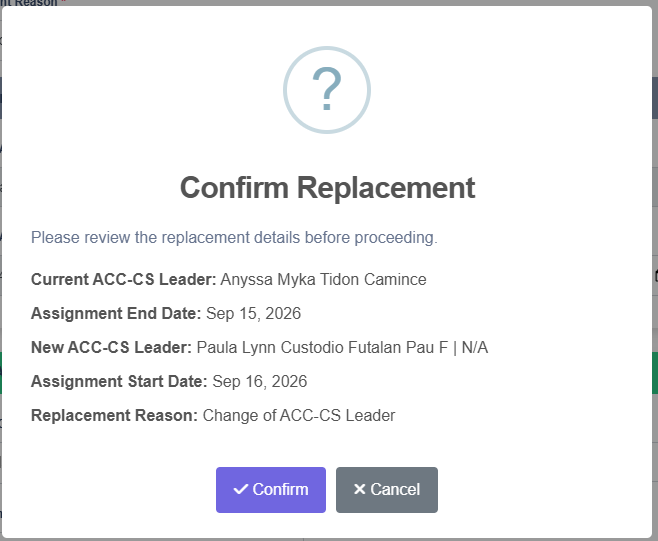
- A confirmation dialog will appear, review the details and confirm by clicking Confirm button or Cancel if you decide not to proceed.
- A success message will appear confirming that the replacement ACC-CS Leader was added.

- Click OK. The ACC-CS Leader is successfully replaced and the new ACC-CS Leader is displayed in the ACC-CS Information section